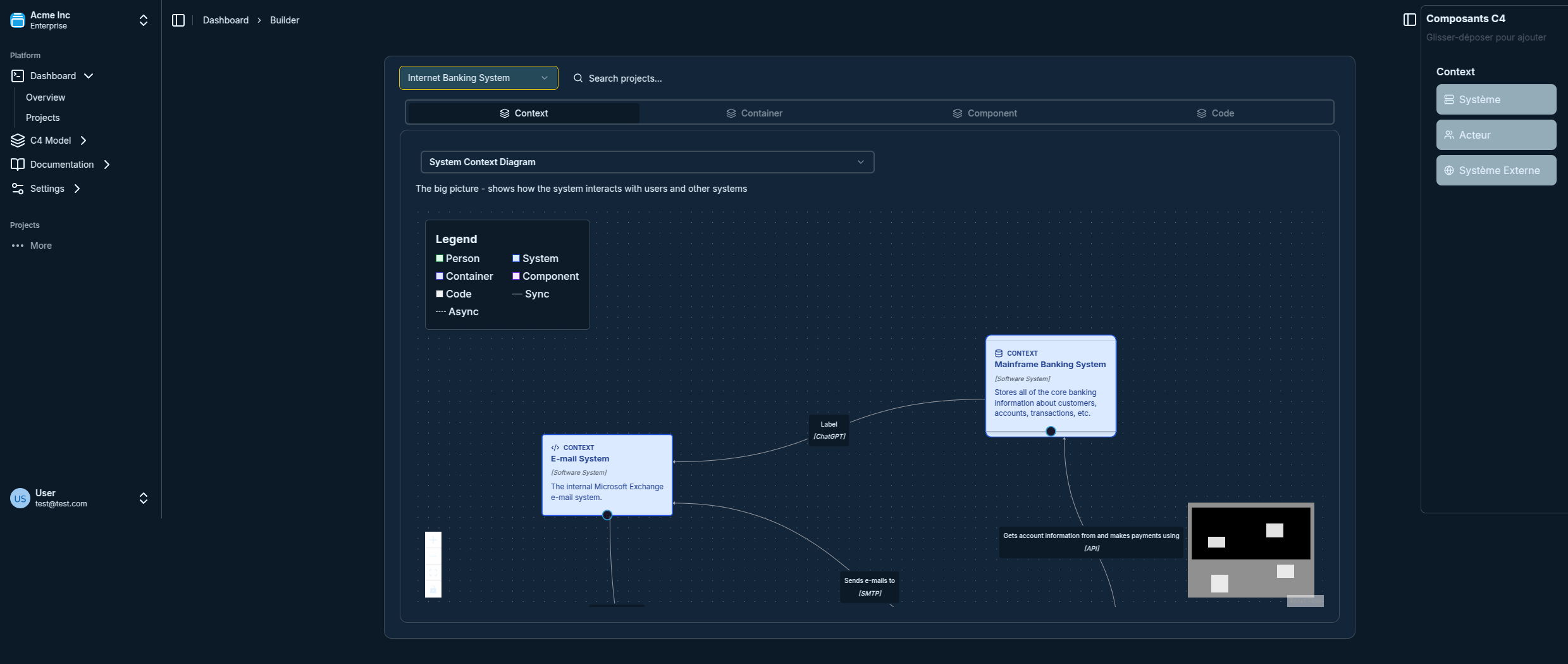
C4 Component Diagram Examples: Real-World Architecture Patterns
C4 Component Diagram Examples: Real-World Architecture Patterns
C4 component diagrams are the third level of the C4 model, zooming into a single container to show its major structural building blocks. This is where architecture meets implementation — component diagrams guide developers on how to structure code and make dependencies explicit.
This guide provides 10+ real-world examples across common architectural patterns. For the rules behind good component diagrams, see C4 Component Diagram Best Practices.
Not sure how component diagrams fit in the C4 hierarchy? Read C4 Model Levels Explained first.
What Does a C4 Component Diagram Show?
A component diagram zooms into one container (e.g., your API service) and shows:
- The major components (controllers, services, repositories, adapters)
- Their responsibilities (one-line description)
- Dependencies between components (arrows showing data/call flow)
- External connections to databases, message queues, other services
It does NOT show every class or method — that belongs at the Code level (Level 4), which is optional.
Example 1: E-Commerce Platform — Order Service
A classic layered architecture for an order processing service:
[Order API Controller]
    --> [Order Application Service]

[Order Application Service]
    --> [Order Repository]
    --> [Payment Client]
    --> [Inventory Client]
    --> [Email Notification Service]

[Order Repository]      --> [PostgreSQL Database]
[Payment Client]        --> [Payment Gateway API]
[Inventory Client]      --> [Inventory Service API]
[Email Notification]    --> [SendGrid API]
What this shows:
- The controller delegates to a single application service (single entry point)
- The application service orchestrates multiple downstream dependencies
- External services (Payment, Inventory) are accessed through adapter clients, keeping the core isolated
Example 2: User Authentication Service (CQRS Pattern)
CQRS (Command Query Responsibility Segregation) splits reads and writes into separate paths:
[Auth API Controller]
    --> [Login Command Handler]
    --> [Token Query Handler]

[Login Command Handler]
    --> [User Repository]
    --> [Password Hasher]
    --> [JWT Token Service]
    --> [Event Publisher]

[Token Query Handler]
    --> [Token Cache (Redis)]
    --> [JWT Validator]

[User Repository]   --> [PostgreSQL]
[Token Cache]       --> [Redis]
[Event Publisher]   --> [Message Queue]
What this shows:
- Commands (state changes) and queries (reads) follow separate paths
- The read path hits a fast cache, not the primary database
- Events are published for downstream services (e.g., audit logging, notifications)
This pattern is common in high-traffic authentication services. See the container diagram examples for microservices for how this service fits into the broader system.
Example 3: REST API Gateway
An API Gateway is a single entry point that routes, authenticates, and rate-limits requests:
[HTTP Router]
    --> [Authentication Middleware]
    --> [Rate Limiter]
    --> [Request Validator]
    --> [Route Handler]

[Authentication Middleware]
    --> [JWT Validator]
    --> [API Key Store (Redis)]

[Rate Limiter]
    --> [Redis Counter Store]

[Route Handler]
    --> [User Service Client]
    --> [Order Service Client]
    --> [Product Service Client]
What this shows:
- Middleware chain processes every request before routing
- Authentication and rate limiting are separate components with their own dependencies
- Service clients are adapters that abstract downstream service communication
Example 4: Event-Driven Notification System
Event-driven components decouple producers from consumers via an event bus:
[Event Consumer (Kafka)]
    --> [Event Router]

[Event Router]
    --> [Order Placed Handler]
    --> [User Registered Handler]
    --> [Payment Failed Handler]

[Order Placed Handler]
    --> [Email Template Renderer]
    --> [SMTP Sender]

[User Registered Handler]
    --> [SMS Gateway Client]
    --> [Push Notification Service]

[Payment Failed Handler]
    --> [Alert Service]
    --> [Email Template Renderer]
    --> [SMTP Sender]

[Email Template Renderer]   --> [Template Store (S3)]
[SMTP Sender]               --> [SendGrid API]
[SMS Gateway Client]        --> [Twilio API]
What this shows:
- A single Kafka consumer fans out to multiple event handlers
- Each handler is independent — adding a new event type is additive, not breaking
- Shared utilities (Email Renderer, SMTP Sender) are components used by multiple handlers
Example 5: Monolith — Retail Backend
Legacy monoliths often have implicit component boundaries. Making them explicit helps identify migration candidates:
[HTTP Controllers Layer]
    [Product Controller]
    [Order Controller]
    [User Controller]

[Business Services Layer]
    [Product Service]   --> [Product Repository]
    [Order Service]     --> [Order Repository]
                        --> [Product Service]
                        --> [Payment Processor]
    [User Service]      --> [User Repository]
                        --> [Email Service]

[Infrastructure Layer]
    [Product Repository]    --> [MySQL Database]
    [Order Repository]      --> [MySQL Database]
    [User Repository]       --> [MySQL Database]
    [Payment Processor]     --> [Stripe API]
    [Email Service]         --> [SMTP Server]
What this shows:
- The layered structure makes cross-layer dependencies visible
Order Servicedepends onProduct Service— a coupling that complicates independent scaling- Identifying this coupling is the first step toward extracting Product into its own microservice
Example 6: Strangler Fig — Migrating to Microservices
The strangler fig pattern gradually replaces monolith functionality:
[Legacy Monolith Proxy]
    --> [Feature Flag Router]

[Feature Flag Router]
    --> [Legacy Order Controller]      (flag: orders_legacy = true)
    --> [New Order Microservice Client] (flag: orders_legacy = false)

[Legacy Order Controller]
    --> [Legacy Order Service]
    --> [Legacy Database]

[New Order Microservice Client]
    --> [Order Microservice API]
What this shows:
- A feature flag determines whether traffic routes to the old or new implementation
- Both paths are active simultaneously during migration
- The new microservice client is an adapter that can be removed once migration is complete
Example 7: Clean Architecture
Clean Architecture enforces strict dependency rules (outer layers depend on inner, never the reverse):
[Entities Layer — Core Business Logic]
    [User Entity]
    [Order Entity]
    [Payment Entity]

[Use Cases Layer — Application Logic]
    [Create User Use Case]      --> [User Entity]
    [Place Order Use Case]      --> [Order Entity, Payment Entity]
    [User Repository Interface] <-- [Create User Use Case]
    [Order Repository Interface] <-- [Place Order Use Case]

[Interface Adapters Layer]
    [User REST Controller]      --> [Create User Use Case]
    [Order REST Controller]     --> [Place Order Use Case]
    [User Repository Impl]      --> [User Repository Interface]
    [Order Repository Impl]     --> [Order Repository Interface]

[Infrastructure Layer]
    [User Repository Impl]  --> [PostgreSQL]
    [Order Repository Impl] --> [PostgreSQL]
What this shows:
- Use cases define interfaces (
Repository Interface) that infrastructure implements - Controllers depend on use cases — never on repositories directly
- The core (
Entities,Use Cases) has zero dependencies on frameworks or databases
Example 8: GraphQL API Service
A GraphQL server has a distinct internal structure compared to REST:
[GraphQL HTTP Handler]
    --> [Query Resolver Dispatcher]
    --> [Mutation Resolver Dispatcher]

[Query Resolver Dispatcher]
    --> [User Query Resolver]
    --> [Order Query Resolver]
    --> [Product Query Resolver]

[Mutation Resolver Dispatcher]
    --> [Create Order Mutation Resolver]
    --> [Update User Mutation Resolver]

[User Query Resolver]           --> [User DataLoader]
[Order Query Resolver]          --> [Order DataLoader]
[User DataLoader]               --> [User Repository]
[Order DataLoader]              --> [Order Repository]
[Create Order Mutation Resolver] --> [Order Service]

[User Repository]   --> [PostgreSQL]
[Order Repository]  --> [PostgreSQL]
[Order Service]     --> [Order Repository]
                    --> [Event Publisher]
What this shows:
- DataLoaders are a critical component for batching N+1 database calls
- Resolvers are separate components for queries vs mutations
- Mutations go through a service layer for business logic, queries go direct via DataLoaders
Common Component Patterns — Summary Table
| Pattern | Core Idea | Best For | |---|---|---| | Layered (Controller → Service → Repository) | Separate concerns into horizontal layers | CRUD apps, simple APIs | | CQRS | Separate read and write paths | High-traffic, complex domains | | Hexagonal (Ports & Adapters) | Core domain is independent of I/O | DDD, testable business logic | | Event-Driven | Components communicate via events | Decoupled, async systems | | Clean Architecture | Strict dependency inversion | Complex domains, long-lived apps | | Strangler Fig | Gradual migration alongside legacy | Monolith-to-microservices migration |
Tips for Drawing Component Diagrams
- One container per diagram — don't mix components from different containers
- Show only significant components — skip utilities, config classes, DTOs
- Label arrows with interaction type — "calls", "reads from", "publishes to"
- Group by layer or domain — use visual grouping for clarity
- Keep it under 15-20 components — if it's larger, split into sub-diagrams
For a full set of rules and anti-patterns, read C4 Component Diagram Best Practices.
Try These Examples in Visual C4
All the patterns above can be built directly in Visual C4, our free C4 modeling tool:
- Drag and drop components with pre-built C4 shapes
- Connect components with typed relationships
- Navigate between diagram levels with one click
- Export to PNG, SVG, or share a live link